Welcome to the Resolute Raccoon Era
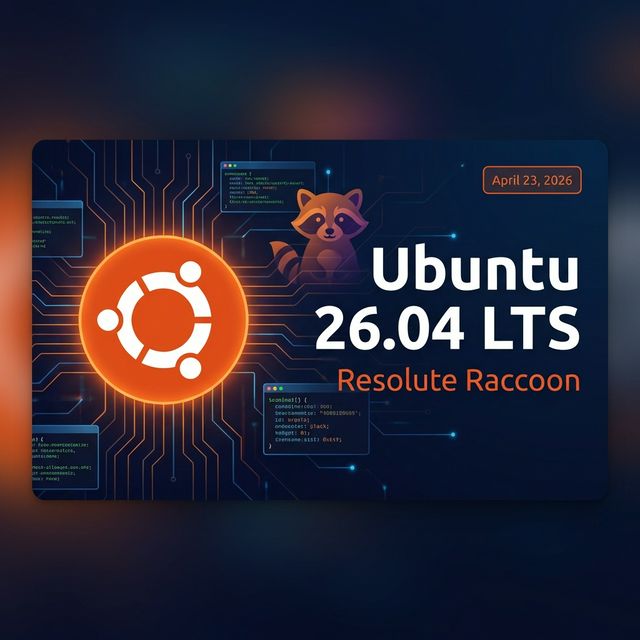
Hello Linux lovers! If you are a fan of Ubuntu, there is a lot to be excited about right now. The tech world is already buzzing about the next major release from Canonical: Ubuntu 26.04 LTS, officially codenamed "Resolute Raccoon". Whether you are a developer, a server administrator, or just someone who loves using Linux on your daily computer, this upcoming update is going to be a big one.
Unlike the regular short-term updates that come out every six months and only get nine months of support, an LTS (Long-Term Support) release is built for rock-solid stability. You get guaranteed free security patches and system maintenance for a full five years — all the way until 2031! This makes it the absolute best choice for businesses, live servers, and anyone who wants a smooth, reliable system without the headache of constantly upgrading every few months.
In this guide, we are going to dive deep into everything: the official Ubuntu 26.04 release date, all the exciting new Resolute Raccoon features, and a simple checklist on how to safely prepare your computer for the big upgrade.
Official Ubuntu 26.04 Release Date & Schedule
Mark your calendars! Canonical has officially set the Ubuntu 26.04 release date for Thursday, April 23, 2026. Ubuntu releases almost always launch on a Thursday, and for April updates (which is why it has "04" in the name), it is usually the fourth Thursday of the month.
The development team follows a very strict timeline to make sure everything is perfect and bug-free before the final launch. Here are the most important milestones for the Resolute Raccoon release schedule:
| Date | Milestone |
|---|---|
| February 19, 2026 | Feature Freeze — no new features after this; focus on bug fixing only. |
| March 12, 2026 | User Interface Freeze — the look and feel (including GNOME 50) are locked in. |
| March 26, 2026 | Beta Release — the first highly stable testing version becomes available to the public. |
| April 9, 2026 | Kernel Freeze — the core Linux Kernel (expected 6.20 or 7.0) is finalized. |
| April 16, 2026 | Release Candidate — the final test version before the big day. |
| April 23, 2026 🎉 | Final Release Date! |
If you use Ubuntu for work or running important servers, remember that there is no need to rush on day one. Your current LTS version is supported for a long time, but it is always great to know when the fresh technology is arriving.
Top New Features in Ubuntu 26.04 Resolute Raccoon
What exactly is changing when you upgrade? Canonical has packed some amazing updates into this release, focusing heavily on performance, security, and a much smoother user experience. Let's break down the biggest features:
GNOME 50 Desktop Environment
Ubuntu 26.04 will ship with the highly anticipated GNOME 50 desktop. If you love a clean and modern look, you are in for a treat. GNOME 50 brings a fresh design, much smoother animations, and fantastic improvements to Wayland (which makes your screen feel faster and more responsive). You will also notice a more polished, modern interface as Ubuntu continues to adopt the "libadwaita" design style.
Powerful New Default Applications
Say goodbye to some old friends and hello to modern replacements! Ubuntu is swapping out a few classic applications:
- Showtime Video Player: The old "Totem" video player is finally being replaced by "Showtime." It is a sleek, minimalist video player that looks great and runs incredibly fast.
- Resources App: Instead of the old GNOME System Monitor, Ubuntu 26.04 introduces a new default app called "Resources." It gives you a beautiful, easy-to-read dashboard to check your CPU, RAM, and network usage at a glance.
Kernel and Core System Updates
Under the hood, things are getting a massive upgrade:
- New Linux Kernel: Resolute Raccoon is targeting the Linux 6.20 (or possibly even 7.0) kernel. This means out-of-the-box support for the absolute latest hardware, from brand-new laptops to the newest graphics cards.
- Better Performance for Newer Computers: Ubuntu 26.04 is introducing amd64v3 package variants. In simple terms, if you have a modern CPU, the system will use special instructions to run everything faster. Older machines will still run the standard versions perfectly.
- Easy AI for AMD Users: If you use AMD graphics cards for AI or machine learning, you will be happy to know that Ubuntu is now directly including AMD ROCm in their official repositories. Just one simple command, and you are ready to start coding!
Important Security & Settings Changes
Security is a huge focus for this LTS release. Canonical has completely rewritten many core parts of the system using the Rust programming language, which automatically prevents memory bugs and makes the system much harder to hack.
- TPM-Backed Full Disk Encryption: If you use a laptop for work, this is a game-changer. It automatically unlocks your encrypted hard drive using your computer's built-in security chip (very similar to Windows BitLocker), keeping your data safe without needing an extra password every time you turn it on. Ubuntu 26.04 goes further — you can now add or remove a PIN/passphrase after installation and re-encrypt a disk directly from the new Security Center.
- Goodbye "Software & Updates" App: To protect users from accidentally breaking their systems, the old graphical "Software & Updates" app is being removed from fresh installs. Many of these features are moving to the new Security Center. You can still manage everything from the terminal, but this change stops beginners from accidentally deleting important update sources!
- Friendlier Permission Prompts: App permission prompts (for microphone, camera, etc.) are getting a cleaner, more modern redesign aligned with GNOME's visual style. They are tighter with the Security Center, making it much easier to understand and manage what each app is allowed to do.
Wayland on Nvidia & Performance
Wayland is now the default display session across modern GPUs, but Ubuntu is not stopping there. In 26.04, Canonical is directly addressing the remaining performance and stability issues that still affect some Nvidia and older GPU setups, so the Wayland session feels smooth and reliable on an even wider range of hardware than before.
If you have been holding off on switching to Wayland due to screen-tearing or stuttering on your Nvidia card, Ubuntu 26.04 is the release to watch.
Fingerprint Reader Improvements
Ubuntu Desktop ships on a huge range of OEM laptops, and 26.04 delivers targeted improvements for that hardware. The biggest upgrade here is SPDM-based fingerprint authentication — a more secure, standardised protocol for biometric login that works reliably on Ubuntu-certified devices that ship with Ubuntu pre-installed.
If your laptop came with Ubuntu out of the box, this means a noticeably more reliable and secure fingerprint login experience right from day one.
Better Snap Integration with the Desktop
One long-standing complaint about Snap apps is that they sometimes feel slightly "off" compared to native apps — wrong icons, missing file associations, or inconsistent permission prompts. Ubuntu 26.04 tackles this head-on:
- Improved how snap apps and their desktop files are identified by the shell.
- Better launcher behaviour, file associations, and permission prompts for snaps.
- Canonical-maintained snaps will now receive automated updates, so popular apps like Firefox and Thunderbird stay current with less manual effort.
- Key snaps are being migrated to the core24 base, putting them on a more modern and stable runtime foundation.
PipeWire & Audio Stack Improvements
PipeWire — the modern audio and video routing engine that replaced PulseAudio — evolves quickly upstream. The challenge for an LTS release is keeping up with those improvements while maintaining the rock-solid stability users expect over a 5-year support window.
In 26.04, Canonical is exploring new packaging approaches to make PipeWire easier to update, test, and maintain throughout the LTS lifecycle. This work is largely behind the scenes — the existing Debian packages are not being replaced — but it lays a much stronger foundation for audio reliability going forward, and paves the way for Ubuntu Core Desktop.
A Smoother & More Accessible Desktop Experience
Ubuntu 26.04's goal is simple: Ubuntu should be accessible from the very first screen. This release delivers significant improvements to both the installer and the first-boot experience:
- Improved installer accessibility: Better keyboard navigation, improved screen reader behaviour, and easier access to accessibility features immediately on boot.
- Piper Neural Speech Engine: Ubuntu is introducing the Piper neural TTS (text-to-speech) engine as the backend for Orca's Speech Dispatcher. Piper delivers clearer, more natural speech with lower latency — a huge improvement for users who rely on spoken feedback during installation and everyday use.
Unified Software Management — App Center Takes Over
Today, installing or updating software on Ubuntu can mean juggling multiple tools: App Center, Software Properties, Update Manager, or Firmware Updater. Ubuntu 26.04 starts to fix this by making App Center the single place for all software management, regardless of packaging format:
- Full management of traditional .deb packages directly inside App Center.
- Beginning the deprecation of older system tools (the "Software Properties" tool has been around since 2007!).
- Ubuntu Pro features are moving from Software Properties into the Security Center.
- A research initiative to unify update settings and behaviour across the entire Ubuntu Desktop experience.
The result will be a cleaner, more modern software story that feels consistent regardless of whether you are installing a snap, a deb, or a Flatpak.
Ubuntu on WSL (Windows Subsystem for Linux)
For developers who work on Windows, Ubuntu on WSL remains a critically important part of the story. Ubuntu 26.04 focuses on making the WSL experience more reliable, observable, and easier to understand:
- Post-launch support and polish for Ubuntu Pro on WSL.
- Expanded automated testing for WSL images directly in CI pipelines to catch regressions early.
- New documentation guides with better coverage of multi-instance workflows and practical container/IDE development examples.
- Refreshed documentation homepage with improved SEO and updated Landscape Pro for WSL guides.
Should You Upgrade to Ubuntu 26.04?
Since Ubuntu 26.04 comes with a massive 5-year support lifecycle (meaning it will get security updates all the way until 2031!), it is a very important release. Here is a quick breakdown to help you decide based on how you use your computer:
- For Everyday Desktop Users: If you want your computer to feel faster, look more modern with GNOME 50, and run the latest apps smoothly, upgrading is a fantastic idea. The fresh interface and new default apps make it worth the jump.
- For Software Developers: Absolutely! Resolute Raccoon brings updated programming languages, better AI support, and the newest Linux kernel. Your coding environment will be up-to-date with the latest tech standards.
- For Server Administrators: If you are running live websites or important servers, stability is your best friend. While Ubuntu 26.04 is built to be rock-solid, server admins usually prefer to wait a few months for the first "point release" (Ubuntu 26.04.1), which usually arrives in August. This gives the developers time to iron out any rare, lingering bugs before you upgrade your critical systems.
Running Ubuntu on a Dedicated Server?
Our dedicated servers are Ubuntu-ready. When Ubuntu 26.04 drops, you can deploy it instantly from your control panel or ask us to handle the setup for you.
How to Prepare for the Ubuntu 26.04 Upgrade
Before you rush to install the new system, it is important to be smart about it. Upgrading an entire operating system is a big process, and sometimes minor hiccups can happen. Here is a simple, step-by-step checklist to get your computer completely ready for Ubuntu 26.04:
Step 1: Back Up Your Important Files
This is the golden rule of upgrading! Before doing anything, copy your important documents, code projects, and photos to an external hard drive or a cloud storage service. You can also use a handy backup tool like Timeshift to create a complete snapshot of your system.
Step 2: Update Your Current System First
Your current version of Ubuntu needs to be completely up-to-date before it can transition to the new one. Open your terminal and run:
sudo apt update && sudo apt upgrade
Step 3: Disable Third-Party Repositories (PPAs)
If you have added custom software sources over the years, they can sometimes confuse the upgrade process. It is best to disable them in your software settings, run the upgrade, and then enable them again later.
Step 4: Wait for the Official Release
It can be tempting to download the Beta version when it drops in March. However, unless you are testing it on a spare laptop or a virtual machine, do not install beta software on your main daily computer! Wait for the official Ubuntu 26.04 release date in late April for the safest, smoothest experience.
Step 5: Run the Upgrade Command
Once the official version is released and you are ready to upgrade, open your terminal and run:
sudo do-release-upgrade
Follow the on-screen instructions and let the system do the work. The process may take 30–60 minutes depending on your internet speed.
Conclusion
Ubuntu 26.04 LTS "Resolute Raccoon" is shaping up to be one of the most exciting and polished releases Canonical has delivered in years. By bringing in the sleek GNOME 50 desktop, moving boldly to be Wayland-only, and packing under-the-hood performance boosts for modern hardware, it is clear that Ubuntu is looking toward the future.
Whether you are a daily desktop user excited for the new "Showtime" video player, or a system admin looking forward to five years of rock-solid stability, this update is definitely worth the wait. Just remember to back up your files, take your time, and wait for the official launch in April!
What new feature are you most excited to try out in Ubuntu 26.04?
Frequently Asked Questions (FAQs)
When is Ubuntu 26.04 coming out?
+
The official release date for Ubuntu 26.04 is set for Thursday, April 23, 2026. Ubuntu releases almost always launch on a Thursday, and for April releases it is typically the fourth Thursday of the month.
What is the codename for Ubuntu 26.04?
+
The codename is "Resolute Raccoon". Canonical always chooses an adjective and an animal starting with the same letter, progressing alphabetically with each release!
How long will Ubuntu 26.04 be supported?
+
Because it is a Long-Term Support (LTS) release, Ubuntu 26.04 will receive free, guaranteed security updates and maintenance for 5 years (until April 2031). With Ubuntu Pro, that support can be extended up to 10 or 15 years.
Will my older computer run Ubuntu 26.04?
+
Yes! While Resolute Raccoon includes special performance boosts for newer processors (amd64v3), the standard versions are still fully compatible with older hardware. However, since the system is moving entirely to Wayland, very old graphics cards that rely on X11 might need some extra configuration.
How do I upgrade to Ubuntu 26.04?
+
Once the official version drops on April 23, 2026, you can upgrade via your system settings or the terminal using sudo do-release-upgrade. If you are on Ubuntu 24.04 LTS, it is recommended to wait until August 2026 (the 26.04.1 point release) for the safest upgrade path.


.webp)